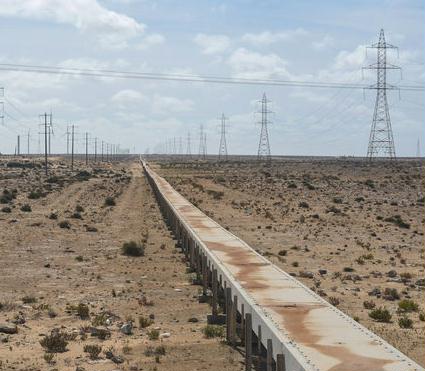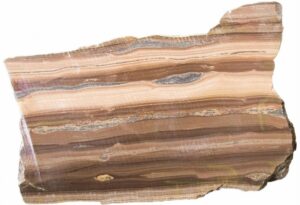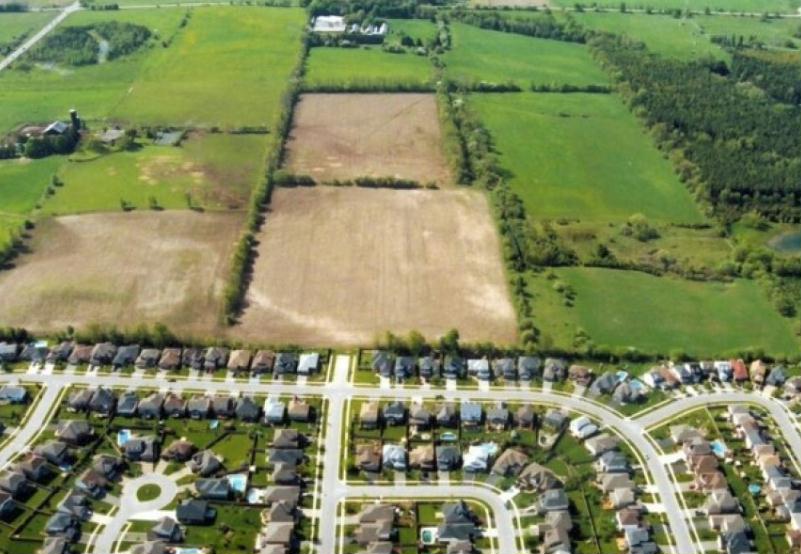
The 10th planetary boundary: Salt

PrefaceRockström J et al (2009) famously proposed that there are 9 Planetary Boundaries: Exploring the Safe Operating Space for Humanity in Ecology & Society that pose existential threats.

This study’s authors propose adding a 10th boundary: Safe and sustainable salt use.

Continue reading

Posted in Biodiversity Loss, Planetary Boundaries, Pollution, Soil | Tagged , , | Comments Off on The 10th planetary boundary: Salt

Unpave low traffic roads to save energy and money

Preface. The U.S. has 4.1 million miles of roads (1.9 million paved, 2.2 million gravel). About 3 million miles of roads have less than 2,000 vehicles a day, less than 15% of all traffic. The paved portion of these low-volume roads ought to be evaluated for their potential to be unpaved.

Many of these roads should have never been paved to begin with, but the costs of construction, asphalt, and energy were so cheap it was done anyway.  Now many rural roads are past their design life and rapidly deteriorating, especially in the Midwest from enormously heavy trucks taking corn and soybeans to biorefineries.  It is both difficult and expensive to maintain them, and dangerous to let these roads fall apart and degrade into gravel on their own.

Examples of road safety effects caused by failing asphalt roads. The failures force traffic to travel outside of the lane and disrupt traffic movement.

Examples of road safety effects caused by failing asphalt roads. The failures force traffic to travel outside of the lane and disrupt traffic movement.

Unpaving low-volume roads saves energy and money. According to Karim Ahmed Abdel-Warith at Purdue University, preserving low-volume roads costs several hundred million dollars a year, more than half of the annual investment in roads.

Unpaving would also slow vehicle speeds down, further increasing miles per gallon from less aerodynamic drag.

Since roads harm biodiversity, getting rid of roads should be done when possible (Forman 2002, Goldfarb 2023).

Cities have started depaving to lessen the heat island effect which can increase temperatures by 8 F (and in Phoenix has caused 3rd degree burns). Pavement also increases flooding. Paved roads and parking lots take up about 30% of urban areas in the U.S. Parking lots cover more than 5% of developed land in the lower 48 states. Depaving is also associated with lower stress levelsa reduction in noisefewer traffic-related injuries and restoration of local biodiversity. It can also improve air quality: asphalt releases hazardous air pollutants into communities in extreme heat and direct sunlight (Sherriff 2023).

The NRC paper I’ve taken excerpts from below requested feedback from the 27 states that have already depaved roads. This report provides many helpful guidance documents on depaving roads for communities interested in pursuing this.

NOTE: I’ve also added notes from another document below: The Promise of Rural Roads. Review of the Role of Low-Volume Roads in Rural Connectivity, Poverty Reduction, Crisis Management, and Livability

Alice Friedemann  www.energyskeptic.com  Author of Life After Fossil Fuels: A Reality Check on Alternative Energy; When Trucks Stop Running: Energy and the Future of Transportation”, Barriers to Making Algal Biofuels, & “Crunch! Whole Grain Artisan Chips and Crackers”.  Women in ecology  Podcasts: WGBH, Financial Sense, Jore, Planet: Critical, Crazy Town, Collapse Chronicles, Derrick Jensen, Practical Prepping, Kunstler 253 &278, Peak Prosperity,  Index of best energyskeptic posts

***

Fay, L., et al. 2016. Converting Paved Roads to Unpaved Roads.  Transportation Research Board of the National Academies, Washington, D.C.

“The historic trend has been to pave roads, not unpave them.   These policies arose in the last century when the costs of asphalt, fuel, and all construction expenditures were low compared with current costs and the axle loads carried on rural low-volume roads were significantly lighter than current loads. The rising cost of asphalt and fuel and a significant increase in traffic and traffic loads on low-volume rural roads due to commercial, agricultural, and energy trucks, combined with stagnant or decreasing budgets, are causing a situation in which the cost of rehabilitating and maintaining very low-volume paved roads on the existing road network often is no longer feasible

This study found that the practice of converting paved roads to unpaved is relatively widespread; recent road conversion projects were identified in 27 states on mainly rural, low-volume roads that were paved when asphalt and construction prices were low. Those asphalt roads have now aged well beyond their design service life, are rapidly deteriorating, and are both difficult and expensive to maintain. Instead, many local road agencies are converting these deteriorated paved roads to unpaved as a more sustainable solution.

Many local road agencies reported cost savings after converting, compared with the costs of continuing maintenance of the deteriorating paved road, or repaving.

Low-volume, rural roads serve as main routes for numerous industries, farmers, and ranchers to get raw material from source to distribution or processing centers, provide ingress to remote public lands, and act as transportation arteries for millions of rural residents. Most of these rural roads have low or very low traffic volumes and have unpaved, aggregate surfaces. Historically, unpaved roads have been considered the lowest level of service provided. In a demonstration of progress and an effort to improve road conditions for rural residents, many agencies paved low-volume roads with little or no base preparation when asphalt and construction prices were low. Those asphalt roads have now aged well beyond their design service life, are rapidly deteriorating, and are difficult and expensive to maintain.

The increasing sizes of agricultural and commercial equipment, including that used by the energy sector, are compounding road deterioration in many areas. Traditionally, these roads were maintained or repaved at regular intervals, but with the increasing traffic loads, increasing cost of materials, and stagnant or declining road maintenance budgets, many agencies do not have the funding to support these activities. Instead, many local road agencies are looking to convert deteriorated paved roads to unpaved ones as a more sustainable solution.

The state of the practice for converting roads from paved to unpaved involves reclaiming or recycling the deteriorated pavement surface, supplementing existing materials as needed, compacting, and for some applying or incorporating a surface treatment, such as a soil stabilizer or dust-abatement product. In a few cases, no recycling of the old pavement was done, and new surface aggregate was simply placed over the deteriorated road surface. However, most agencies that have done conversions recycle the old surface in-place and reshape and compact it as a base for a new aggregate surfacing. Thereafter, the new surfacing ranges from locally available gravel to high-quality surface aggregate that can be maintained with motor graders to sustain adequate crown and a smooth surface. Many of the roads that have been converted from paved to unpaved had annual average daily traffic (AADT) of between 21 and 100 vehicles, suggesting that many of the roads that are being converted should not have been paved initially or that road usage patterns have changed significantly since paving.

Local road agencies are converting roads primarily as a result of a lack of funding for maintenance and construction, safety issues, and/or complaints from the public. Road budgets have remained stagnant or declined in recent decades, but the costs of labor, materials, and equipment have continued to increase. Consequently, local road agencies have been left underfunded and are struggling to maintain their existing road network. Limited maintenance of deteriorating roads (e.g., pothole patching) often is all that can be done with existing resources, with repaving often being cost-prohibitive.

The reported cost of converting ranged from $1,000 to $100,000 per road segment or mile within the United States and Canada. The variation in costs is attributed to how costs are tracked by agencies, how the conversion was done, equipment requirements, supplemental materials, surface stabilization and dust abatement, and addressing drainage and road base issues.

NEEDED: Unpaving guides

A significant lack of available resources, such as a handbook or design guide, for practitioners who are considering or performing road conversions was noted. Numerous survey respondents indicated that they did not use any documented resources when planning and performing the conversion and often used a trial-and-error approach. In addition, road agencies rarely document procedures and outcomes of road conversions, such as construction problems, crash rates, public concerns and reaction, and comparative maintenance costs of the new surface. Completing successful conversions is possible with appropriate investigation and design, selection of quality granular surfacing materials, and good construction, and by involving and educating the public as part of the process. However, limited information has been published to guide practitioners in these processes.

LOW-VOLUME ROADS

There are more than 4.1 million mi of roadways in the United States. There is no uniform agreement on how many of these are low-volume roads. About 53% are unpaved and are maintained by local and state transportation departments.  Unpaved roads are nearly always considered low volume.

For the purpose of this project, low-volume or very low-volume roads are defined as roads with AADT of less than 250 vehicles, based on research that determined that converting paved roads to unpaved was cost-effective at this threshold.

The spectrum of options of surface types for low-volume roads ranges from gravel with no treatment to stabilized gravel to bituminous sealed bases to asphalt and concrete pavements. Each road surface type has its own merits and represents one tool in the road management toolbox. Unpaved roads can be defined as those with a surface course of unbound aggregate (gravel) where no binder, such as tar, bitumen, cement, lime, or other chemical additive, is used. An unpaved road often requires blading at least once annually to maintain the road surface in a drivable and safe condition. Paved roads are defined as those with an asphalt concrete or portland cement concrete surface, or roads that possess any combination of asphalt binder and aggregate intended to provide waterproofing, adhesion, structural strength, and frictional resistance.

CONVERTING ROADS FROM PAVED TO UNPAVED

Active versus Passive Conversion

Many transportation agencies facing budget shortfalls and deteriorating paved roads are converting their paved roads to gravel (active conversion), whereas other agencies are allowing roads to deteriorate to unpaved conditions owing to a lack of funding for maintenance (passive conversion). Active conversion is the process of converting a paved road to an unpaved road using equipment and personnel to recycle the old pavement into a pulverized material that can be used as a base for a new aggregate surfacing or as part of the new surface. Passive conversion of a road from paved to unpaved is the natural process of the paved road breaking down and deteriorating to an unpaved surface as a result of exposure to the elements and wear and tear from vehicle traffic. Based on survey and interview responses, active conversion is a far more common practice, however some local road agencies find that passive conversion occurs simply as a result of a lack of funding for properly maintaining roads.

Factors to Consider for Unpaving

  • Road condition: This dictates whether a deteriorated paved surface can be economically repaired to restore it to an acceptable condition or whether there is a need for complete rehabilitation or reconstruction, which may not be affordable. In the latter instance, conversion to gravel can be considered.
  • Safety: The deterioration of a paved road surface may be such that it may be safer to convert to a gravel surface either permanently or for an interim period until the road can be rehabilitated or reconstructed.
  • Presence of heavy and overweight vehicles: A high volume of heavy vehicles has a significant impact on the standard required for pavement maintenance and rehabilitation. Initial costs to repave or repair a road to an appropriate standard for these vehicles may be unaffordable for achieving an acceptable life cycle. Gravel roads can be much cheaper to repair when damaged, but the frequency of repair may be greater.
  • Maintenance capability: Specific equipment and skills are required for paved and unpaved road construction and maintenance. The availability and affordability of either contracted or in-house equipment or skill need to be assessed to compare the ability to maintain each surface type effectively. Dust and erosion control may be a significant factor and could be considered for unpaved surfaces.
  • Environmental issues: Air and water quality impacts from dust and erosion can affect human, plant, animal, and aquatic health and create a safety hazard to drivers. Products used to stabilize the road surface and reduce dust can also affect the adjacent environment if incorrectly selected or applied.
  • Dust and erosion control: These issues may or may not be a significant factor, but it is essential that they be considered for all surfaces.
  • Availability and quality of suitable unpaved road–wearing coarse aggregate sources: The quality and properties of the aggregate have a significant impact on the surface condition and frequency of maintenance required on unpaved road surfaces. Appropriate unpaved road surfacing aggregates are not offered by many commercial aggregate suppliers and can be expensive or difficult to obtain. This issue is more important than many managers recognize.
  • Network significance of the road: Primary routes that are frequently used by public transport (including school buses) or emergency vehicles or are priority snowplow routes generally are not recommended for conversion from paved to unpaved surfaces. Local roads serving limited access to residences or businesses are better candidates.

Changes in Traffic Patterns and Vehicle Type

Modern agricultural equipment (i.e., tractors, combines, farm trucks) have greatly increased in size and carrying capacity, along with greater crop yields, creating increased maintenance issues on paved and unpaved rural roads (Anderson 2011), with accelerated degradation of low-volume roads (Figure 6). Multiaxle semis, concrete haulers, large-load log trucks, and rising traffic volume can be equally destructive (Etter 2010; Taylor 2010) (Figure 7). In some areas of the country where oil drilling and extraction have increased, such as North Dakota, Texas, and Pennsylvania, significant damage to roads from oil field traffic has occurred (Floyd 2013). Many of these rural paved roads have passed the end of their design life (Anderson 2011).

ECONOMIC CONSIDERATIONS—COST OF CONVERTING VERSUS REPAVING

The 2010 Wall Street Journal article “Roads to Ruin: Towns Rip Up the Pavement” highlighted the economic strain many counties face when trying to maintain paved roads in rural areas (Etter 2010). A recent study found that the state of Iowa would need to increase road funding by $220 million annually just to maintain the current road network (Anderson 2011). Similar funding shortfalls for local road maintenance budgets are occurring across the country (Canfield 2009; Taylor 2010; Landers 2011). Cold-weather states in particular have high maintenance costs resulting from the repair of damage caused by freeze-thaw cycles but little available funding because of essential winter maintenance operations (Canfield 2009).

Coupled with declining budgets, agencies have seen raw material prices increase. Costs for gasoline, diesel, and asphalt binder, all petroleum-based products, are tied to fluctuating oil prices (Taylor 2010). However, fuel taxes, which are a primary source of funding for road maintenance, have remained constant in this time period. Improved fuel consumption technologies have further reduced this source of income.

The recent economic downturn has made governments reluctant to increase other taxes and has resulted in people driving less.

DEPAVING SAVES MONEY & ENERGY

Michigan

  • According to a county road commissioner, Michigan is ranked 50th in per capita spending on road maintenance in the country (Canfield 2009; Rajala 2010). In Montcalm County, patching of a primary road cost more than $39,000 in 2008 and 2009. However, it cost only $7,300 for the road to be converted to gravel.
  • Road conversion projects in Benzie County, Michigan, have resulted in significant savings in maintenance costs by eliminating the need for two-person patch crews working 1 to 2 days per month and replacing that process with annual brine application
  • The Branch County Road Commission in Michigan was spending nearly $2,000 per week making repairs to a road. A 1-mi stretch of the road was converted to gravel at a cost of $6,370
  • In Emmet County, Michigan, repairing just more than 3 mi of a severely potholed road cost $20,000 to $30,000 per year. After the road was converted to gravel, maintenance costs were reduced by about $10,000 annually, with an initial (up-front) cost of $12,000 for pulverizing the paved road

Midwest

  • In 2013, the Indiana LTAP published Assessment Procedures for Paved and Gravel Roads, a handbook that addresses some of the issues facing underfunded counties in Indiana. Cost estimates from the report place the cost of recycling a paved asphalt road, stabilization of the base, and addition of a new gravel surface at $42,000 per mile. Alternatively, the cost to maintain the asphalt with similar treatments to the subsurface and a new asphalt overlay was estimated at $112,000.
  • In Hancock County, Minnesota, estimates for initial construction and 5 years of maintenance suggested a total cost savings of $3,000 per mile (Minnesota Department of Transportation 2010).
  • In North Dakota, Stutsman County expenses outweigh income, and the county has revenue to maintain only 48 of the 233 mi of paved road. Cost estimates for repaving a deteriorated road segment were around $75,000 per mile, whereas projected costs for maintaining the road as gravel were $2,600 per mile. The county estimated it would cost $32,000 per mile in maintenance costs over the 20-year life-cycle for a low-volume paved road, whereas that same 20-year maintenance cost would drop to $4,300 per mile for a reclaimed road and lower still to $1,700 per mile for a gravel road (Landers 2011).
  • In Allamakee County, Iowa, the cost estimate for surfacing roads was about $100,000 per mile, compared with only $5,000 per mile to remove the pavement and add new gravel (Louwagie 2011).

West Coast: In Lake County, California, paved roads were recycled with a pulverizer followed by an enzyme application. The county won an award in 2009 from the California Chip Seal Association for Innovative Project of the Year for the resurfacing of two of the converted roads. Overall, the county saved about $190,000 with the technique used instead of a traditional pavement overlay

East Coast:  High asphalt and transportation costs were motivation for Cranberry Isles, Maine, to consider converting three of its major roads to gravel (Rajala 2010). Repaving was estimated to cost the town (population 118) nearly $500,000, whereas converting to gravel cost $58,000, with most labor performed by public works personnel.

How to depave a road

The most important piece of equipment is a reclaimer of appropriate weight and power, which ensures the correct ratio of crushed asphalt to granular surfacing material and the right size of the crushed material (1 inch or less).  Reclaimers are faster and more efficient than a motor grader with a ripper or scarifier and require less  labor and a better, uniform recycled material and in the end, a better driving surface. If this is done correctly, then it will be much cheaper and easier to maintain the road in the future with a grader, and less likely that large pieces of crushed asphalt will rise to the surface, lowering ride quality.

Reclaimed road material is milled or crushed to 1 inch or smaller by the reclaimer, and then smaller material, fines or aggregate added as needed to create a smooth driving surface with reduced cobbling (large chunks of asphalt) Another good practice was following the reclaimer with a padfoot roller to further break up the reclaimed material and aid in initial compaction, followed by smooth drum or rubber tire roller compaction to achieve an optimal driving surface.

The hardest part of converting a road that needs minimal maintenance is getting the correct ratio of granular surface material to asphalt, and can require additional passes with the reclaimer or a padfoot roller.  Shaping the road to achieve the proper crown is also important.

Other good practices include:

  • Supplementing the existing road materials with additional aggregate, including fines or changing the depth of reclamation to achieve the proper ratio of granular material to reclaimed asphalt.
  • Proper maintenance after the conversion to ensure increased longevity of the road
  • Using a stabilizer
  • Not converting roads without appropriate drainage

Pavement surfaces were recycled in place using a reclaimer or a ripper on a grader, ideally sizing the material to 1-inch top size. When necessary, additional gravel was added and mixed to supplement existing material, after which the roads were shaped and compacted. Road conversions typically were completed by agency staff with agency-owned or rented equipment. The remaining conversions were completed by a contractor.

Road stabilization is often done with chlorides or enzimes to mitigate base deficiencies and stabilize the granular portion of the reclaimed road surface for better and safer driving surfaces. Some found that enzyme stabilizers reduced maintenance.  But overusing them can result in potholes, adding to maintenance.

Dust suppressants are used to help to stabilize the road surface, provide a better driving surface, reduce dust levels, and get public acceptance of converted roads.

Tools and equipment used in road conversion include: Reclaimer, chemical or enzyme stabilizer, Dust suppression: chloride, used asphalt emulsion, or waste brine from gas and oil wells, scarifier, paving machine with gravel, dump truck, motorgrader

Ready to depave?  Resources and documents

FROM PAVED TO UNPAVED

Decision Tree for Unpaving Roads is a preliminary assessment of the state of the practices for “issues surrounding the maintenance, preservation, and possible conversion of a low volume paved road to gravel.” This document provides a summary of relevant literature and a survey of state and county transportation agencies on this topic [CTC & Associates LLC, Decision Tree for Unpaving Roads, Office of Policy Analysis, Research, and Innovation, Research Services Section, Minnesota Department of Transportation http://www.dot.state.mn.us/research/TRS/2010/TRS1007.pdf

“Turning Deteriorated Paved Roads Back into Gravel Roads: Sheer Lunacy or Sustainable Maintenance Policy?” This journal article that describes circumstances in Finland that led to three local road programs developing guidelines to determine if a road qualified to be converted from paved to unpaved [Mustonen et al., “Turning Deteriorated Paved Roads Back into Gravel Roads: Sheer Lunacy or Sustainable Maintenance Policy?, Transportation Research Record: Journal of the Transportation Research Board, No. 1819, Transportation Research Board of the National Academies, Washington, D.C., 2003 http://trrjournalonline.trb.org/doi/abs/10.3141/1819a-15

“Improvements to Linn Run Road: Case Study on Turn- Back of Asphalt-Paved Road Surface to Maintainable Gravel Road Surface” is a journal article detailing the conversion of a deteriorated paved road to gravel by the Pennsylvania Bureau of Forestry in conjunction with The Center for Dirt and Gravel Road Studies at Pennsylvania State University [Shearer, D.R. and B.E. Scheetz, “Improvements to Linn Run Road: Case Study on Turn-Back of Asphalt-Paved Road Surface to Maintainable Gravel Road Surface,” Transportation Research Board, Washington, D.C., 2011, pp. 215–220 http:// trrjournalonline.trb.org/doi/abs/10.3141/2204-27

GRAVEL ROAD DESIGN, CONSTRUCTION, AND MAINTENANCE

The Gravel Roads: Maintenance and Design Manual was developed in 2000 but is still relevant as a guidance document. This document discusses road shaping, drainage, definition of “good” surface gravel and the volume required, and maintenance guidance for gravel roads [Skorseth, K. and A.A. Selim, Gravel Roads: Maintenance and Design Manual, South Dakota Local Transportation Assistance Program and Federal Highway Administration, Washington, D.C., 2000 http://ntl.bts.gov/lib/12000/12100/12188/20020819gravelroads.pdf

A revised version of Gravel Roads: Maintenance and Design Manual was completed in 2015 and published with the title: Gravel Roads: Construction and Maintenance Guide. Updated information and photos are included to guide gravel road managers, equipment operators, and field supervisors. Roadway shape, drainage, recommended surface gravel specifications, and basic construction guidance are the key points covered Skorseth, K., R. Reid, and K. Hieberger, Gravel Roads: Construction and Maintenance Guide, FHWA Publication No. FHWA-OTS-15-0002, 2015).

Best Practices for the Design and Construction of Low Volume Roads Revised presents how MnPAVE, a mechanistic-empirical software program, can be used to design pavement types based on traffic loading, design life, and vehicle type, and provides guidance on subgrade and embankment soils and recommendations for density and compaction. Although this document speaks more to pavements, information on subgrade preparation and best practices to follow specifications may be gleaned from the document [Skok, E.L., D.H. Timm, M. L. Brown, T.R. Clyne, and E. Johnson, Best Practices for the Design and Construction of Low Volume Roads Revised, Minnesota Department of Transportation, St. Paul, 2003 http://www.lrrb.org/media/reports/200217REV.pdf

Guidelines for Geometric Design of Very Low-Volume Local Roads developed by AASHTO (2001) addresses the unique needs of very low-volume roads (LVR) with limited traffic and reduced crash rates to avoid overdesign for safety and engineering of these roads. The document provides recommended ranges of values for critical dimensions that can be used to supplement existing road design manuals [American Association of State Highway and Transportation Officials, Guidelines for Geometric Design of Very Low-Volume Local Roads, 2001 https://bookstore.transportation.org/itemdetails.aspx?id=157

Low-Volume Roads Engineering: Best Management Practices Field Guide is a handbook outlining best management practices for low-volume road design and construction. Recommended practices for topics, including planning, location, survey, design, construction, maintenance, and road closure, are covered in the book [Keller, G. and J. Sherar, Low-Volume Roads Engineering: Best Management Practices Field Guide, U. S. Agency for International Development, Washington, D. C., 2003 http://www.fs.fed.us/global/topic/sfm/low_resolution_roads_bmp_guide.pdf

Environmentally Sensitive Maintenance for Dirt and Gravel Roads is a guidance document based on information and training products developed by the Pennsylvania State Conservation Commission and the Penn State Center for Study of Dirt & Gravel Roads that addresses environmental issues associated with gravel roads such as erosion, sediment, and dust and mitigation methods [Anderson, J.A. and A.L. Gesford, Environmentally Sensitive Maintenance for Dirt and Gravel Roads, Pennsylvania Department of Transportation, Harrisburg, 2007 http://water.epa.gov/polwaste/nps/sensitive.cfm

Unsealed Roads Manual: Guidelines to Good Practices is a manual that provides direction and information to road authorities on management and the economics of unsealed roads. The manual was developed by the Australian Roads Research Board and is focused on gravel road maintenance in arid regions [Guimarra, G., Unsealed Roads Manual: Guidelines to Good Practices, 3rd ed., Australian Road Research Board, Vermont South, Victoria, Australia, 2009 http://trid.trb.org/view.aspx?id=1162958

Unsealed Roads: Design, Construction and Maintenance is a guide detailing various aspects of unpaved roads from initial design, to maintenance and rehabilitation. The guide was developed in South Africa and focuses on soil, gravel, climatic conditions present in the country (Paige-Green, P., Unsealed Roads: Design, Construction and Maintenance, #20. Department of Transport, Technical Recommendations for Highways, Pretoria, South Africa, 2009).

ROAD CONDITION AND SURFACING OPTION ASSESSMENT TOOLS

Assessment Procedures for Paved and Gravel Roads was developed by the Indiana Local Technical Assistance Program in 2013 and provides an assessment procedure that can be used by local agencies to aid in determining the most appropriate surface type for a given road. Two assessment methodologies were developed specifically for Indiana using cost data from local roads programs. The first methodology provides a basic framework for the comparison of costs for alternative road surface treatment options. The second methodology uses a multi-objective assessment procedure to determine the relative ranking of each alternative road surface treatment option based on cost, traffic volume, development, public preference, and other variables. The tool was developed for use in Indiana, but because the costs, practices, and weighting factors can be modified, this tool can be successfully used by any state local roads program [Figueroa, C., et al, Assessment Procedures for Paved and Gravel Roads, Indiana Local Technical Assistance Program, West Lafayette, 2013

http:// rebar.ecn.purdue.edu/ltap1/multipleupload/Pavement/ Assessment%20Procedures%20for%20Paved%20 and%20Gravel%20Roads.pdf

Pavement Surface Evaluation and Rating (PASER) Manual for Asphalt Roads is a tool that can be used to quickly assess road pavement condition on a scale from 1 to 10 (Walker et al. 2013). The ratings are associated with road condition categories and prescribed treatment options. The PASER assessment tool allows for comparison of road segment quality and the identification of roads requiring treatment. The PASER system is not a robust analysis of road conditions such that the ranking cannot be used in “mechanical-empirical transportation asset management programs.” PASER manuals have been developed for gravel, concrete, brick and block, sealcoat, and unimproved roads [Walker, D., L. Entine, and S. Kummer, Pavement Surface Evaluation and Rating (PASER) Manual for Asphalt Roads, Transportation Information Center, University of Wisconsin–Madison, 2013 http://epdfiles.engr.wisc.edu/pdf_web_files/tic/manuals/asphalt-paser_02_rev13.pdf

Gravel Road Management Tools is a summary of the state of the practice of gravel road management tools used and identifies the needs of local agencies. The information presented in the document was captured through two surveys by the Minnesota Local Roads Program and from county engineers across the country through the National Association of County Engineers (NACE) [Local Road Research Board (LRRB), Gravel Road Management Tools, Minnesota Department of Transportation, St. Paul, 2014 http://www.dot.state.mn.us/research/TRS/2014/TRS1407.pdf

To Pave or Not to Pave is a summary article that highlights the work completed by Jahren et al. (2005) and Skorseth and Selim (2000), both of which are summarized in this chapter, as well as additional tools that can be used when deciding whether or not to pave a road (Kansas LTAP 2006). A video associated with this document can be found at: http://www.mnltap.umn.edu/Videos/ToPaveOrNot/ToPaveOrNot.swf

Kansas LTAP, To Pave or Not to Pave, Lawrence, 2006 (http://www.kutc.ku.edu/pdffiles/2006_Paving Guide.pdf

Economics of Upgrading an Aggregate Road was developed in Minnesota for local road programs and provides guidance on when a road should be improved and recommended procedures for doing so (i.e., grading, regraveling, dust control/soil stabilization, reconstruction/regrading, paving). This study conducted a cost analysis and looked into the effects of traffic volume and type, road surface type, and cost. A method was developed to estimate the cost of maintaining a gravel road, which includes labor, equipment, and materials. This document addresses methods for local road agencies to communicate to the public the why and how of maintenance techniques and policy decisions [Jahren, C. T., D. Smith, J. Thorius, M. Rukashaza-Mukome, D. White, and G. Johnson, Economics of Upgrading an Aggregate Road, Minnesota Dept of Transportation, St. Paul, 2005 http://www.lrrb.org/media/reports/200509.pdf

When to Pave a Gravel Road provides information on how to assess if a gravel road should be paved. This document takes a question-and-answer approach to 10 discussion points to be considered by local government officials when considering paving a gravel road Kentucky Transportation Center, Appendix D: When to Pave a Gravel Road, Kentucky Transportation Center, University of Kentucky, Lexington, n.d. http://water.epa.gov/polwaste/nps/upload/2003_07_24 NPS_gravelroads_appd.pdf

Local Road Surfacing Criteria is a document that provides a methodology for evaluating road sections. It includes a software tool and a user’s guide, which is designed to aid in making local road surfacing decisions. The methodology allows users to compare costs for different road types from paved to gravel [Zimmerman, K. A. et al, Local Road Surfacing Criteria, South Dakota Department of Transportation, Pierre, 2004 http://sddot.com/business/research/projects/docs/sd200210_Final_Report.pdf

A Local Road Surface Selection Tool was developed based on the Local Road Surfacing Criteria (Zimmerman and Wolters 2004). The online tool serves as an analytical tool that applies low-volume road management methodologies to allow users to compare costs associated with different road surface types and the maintenance of various surface types and aids in the selection of the appropriate surface for a given set of circumstances. At this time, the tool can be used for counties in Minnesota, North Dakota, and South Dakota http://dotsc.ugpti.ndsu.nodak.edu/SurfaceSelection/

Context Sensitive Roadway Surfacing Selection Guide is a road surface selection tool that is designed to incorporate context-sensitive design parameters from the beginning planning stages well into design and construction. The guide provides a surface selection tool, which can be integrated easily into current processes, allows for multidisciplinary input, and provides a broad list of possible road surfacing options [Maher, M., C. Marshall, F. Harrison, and K. Baumgaertner, Context Sensitive Roadway Surfacing Selection Guide, 2005

Development of Guidelines for Unsealed Road Assessment” is a journal article summarizing the manual developed for the unified standard assessment of unsealed roads in South Africa in collaboration with the South African Committee of Land Transport Officials. The manual outlines various criteria for visually assessing an unsealed road surface in an effort to provide continuity and consistency across the many road authorities in South Africa [Jones, D., P. Paige-Green, and E. Sadzick, “Development of Guidelines for Unsealed Road Assessment,” Transportation Research Record: Journal of the Transportation Research Board, No. 1819, Transportation Research Board of the National Academies2003, pp. 287–296″

USEFUL WEBSITES & REFERENCES

Center for Dirt and Gravel Road Studies (http://www. dirtandgravel.psu.edu/

Forman RTT et al (2002) Road Ecology: Science & Solutions.

Goldfarb B (2023) Crossings: How road ecology is shaping the future of our planet.

Minnesota Local Road Research Board (LRRB) (http:// www.lrrb.org/ Minnesota Local Technical Assistance Program (LTAP) http://www.mnltap.umn.edu/topics/lowvolume/

North Dakota State University, Upper Great Plains Transportation Institute (NDSU/UGPTI) http://www.ugpti.org/

Sherriff L (2023) Cities Are Depaving for a Cooler Future Asphalt contributes to the urban heat island effect and makes places more prone to flooding. Planners are rethinking its place in cities. Discover Magazine.

South Dakota Local Transportation Assistance Program (LTAP)  http://www.sdstate.edu/engr/ltap/  Transportation Engineering and Road Research Alliance (TERRA)  http://www.terraroadalliance.org/  TRB Low-Volume Roads (LVR) Committee and Conferences  http://www.trb.org/AFB30/AFB30.aspx

Unpaved Roads Institute (URi) http://unpavedroadsinstitute.org

References

Abdel-Warith. 2014. Simple Empirical Guide to Low-Volume Road Design. TRB 2014 Presentations of Interest County Engineers Research Focus Group.

FHA. July 1994. Roadway widths for low-traffic volume roads. Federal Highway Administration, Research and Technology, FHWA-RD-94-023.

Transafety. February 1, 1997. Road Management & Engineering Journal. Transafety.


Faiz, Asif. September 2012.  The Promise of Rural Roads. Review of the Role of Low-Volume Roads in Rural Connectivity, Poverty Reduction, Crisis Management, and Livability. Transportation Research Circular E-C167. Transportation Research Board, National Research Council.  52 pages.

roads worldwide kilometers paved unpaved


Everything that sustains us—grown, mined, or drilled—begins on a low-volume road.

Nearly 30 million km of low-volume roads connect the world’s population.

The contents of this e-circular are based on research and analysis undertaken by author Asif Faiz in his individual capacity. The conclusions and recommendations contained in this document are those of the author, and do not reflect the views of TRB or the National Academies.

THE GLOBAL ROAD SYSTEM

There is no universally accepted average annual daily traffic (AADT) threshold for defining a low-volume road. AASHTO in its Geometric Design Guidelines for Very Low-Volume Local Roads specifies an AADT of 400 or less. For purposes of geometric design standards, the working criterion for most researchers in the field is around 2,000 AADT for LVR and 400 for “very” LVR. The definition, however, varies widely across jurisdictions with the upper limit being as high as 5,000 AADT. — Mike Long Chair, TRB Low Volume Roads Committee

About 33.8 million km of roads girdle the Earth’s land mass of 148.9 million km2 (an average 0.23 km/km2 of land area); about 57% of it is paved (i.e., sealed with an engineered bituminous, concrete, or stone surfacing).

Nearly all the unpaved roads (13 million km) and an estimated 85% of paved roads (17 million km) are LVRs with an average annual daily traffic (AADT) of 1,000 vehicles per day (vpd) or less.

In this review, an AADT threshold of 1,000 vpd is used for defining LVRs. This is a common traffic threshold considering worldwide practice, at which higher design speeds and related standards (wider lanes, paved shoulders, gentler curvature) kick in.

In its report on U.S. Highway Statistics, 1 FHWA aggregates all rural arterials with an AADT of 1,000 or less in a single category. Irrespective of the AADT threshold (ranging from 400 to 1,000 vpd), LVRs account for about 80% to 85% of the global road network and very low-volume roads (VLVRs) account for about 70% to 75%. An AADT threshold of 5,000 would encompass nearly 98% of the world’s roads.

These 30 million km of classified LVRs have a wide variety of geometric and paving standards ranging from barely motorable earth roads to modern high-speed two-lane paved highways. The global asset value (replacement cost) of these LVRs is conservatively estimated at about US$7.6 trillion (a lower-bound estimate), equivalent to about 50% of the estimated 2010 gross domestic product (GDP) of the United States. Beyond this classified system is another realm of designated trails, tracks, and paths as well as minor roads that serve enclave development (mines, industrial estates, agricultural plantations, irrigation schemes, tourism, forestry, etc.), and together number into millions of kilometers and also contribute to basic access and mobility.

The global public road network increased by some 3.9 million km (a 13% increment) in the first decade of the new millennium (1–3). And there was a quantum increase in the quality of roads with 4.2 million km upgraded or constructed to paved standard.

Road Expansion and Modernization in China Over the last decade, China has emerged as the global leader in rural road expansion and modernization with its road network crossing the 4 million km threshold in 2010 and the share of paved roads increasing from about 25% in 2000 to 44% in 2006 and 61% in 2010.

The United States has the largest road system in the world (6.52 million km in 2009, with 67% paved), growing from about 3.71 million km in 1900 to 3.89 million km in 1910; 4.97million km in 1920; 5.30 million km in 1950; and 6.32 million km in 2000. About 26.4% of the system is classified as urban and about 84% of total network (63% of urban and 87% of rural) has an AADT of less than 1,000.

Wilfred Owen in his classic study of transport and communications in India— Distance and Development — noted that in 1949 “the U.S. had 2.5 million miles of local rural roads. Yet despite the high degree of mechanization and motorization of America’s farms, more than half of this local (rural) road network was unsurfaced earth roads and 90% of the surfaced mileage was gravel. The most important functions of these rural roads were as routes for mail delivery (1.5 million miles), school buses (700,000 miles), and milk collection (500,000 miles)”. In 1945, 64% of all American farms were on an all-weather road and only 10% were less than a mile distant. The primary focus of road building was on grading and drainage and half the annual expenditure on rural roads (for the system as a whole) was for maintenance. But he went on to caution that a substantial percentage of local roads built in the United States up to 1950 rendered little or no service of any kind. According to an estimate by the U.S. Bureau of Public Roads (the forerunner of FHWA), about 400,000 miles of American local roads proved to be nonessential; the overbuilding of rural roads at the time, under the pressure of farm and political lobbies, cost U.S. taxpayer some $2.4 billion (in 1950 dollars). And the overbuilding of that era still casts a shadow on the ability of local governments in the United States to maintain and service this vast network of rural roads, further expanded, improved, and upgraded during the next 50 years.


Posted in Concrete, Roads, Transportation, Transportation What To Do | Tagged , , | 2 Comments

Subsistence life in West Virginia before capitalism

Preface.  These are a few of my kindle notes from Steven Stoll’s “Ramp Hollow: The Ordeal of Appalachia” that may give you an idea of how people might survive after  undershoot in the future. It is a damning critique of capitalism. Any hope for a steady state economy and keeping slavery and feudalism at bay requires keeping capitalism from returning.

Continue reading

Posted in Jobs and Skills, Life Before Oil | Tagged , , , | 3 Comments

Will Congress ever create a new independent agency to store nuclear waste permanently?

Preface. The lack of permanent geological storage of nuclear waste will be yet another nightmare for those living after fossils have declined and civilizations go back to biomass fuels and muscle power. They will already be dealing with heat making parts of the planet unlivable, rising sea levels, floods, and dam failures that release hazardous chemical and nuclear waste, depleted aquifers and topsoil, natural disasters, wars, mass migrations, and death by a thousand other cuts.

Continue reading

Posted in Nuclear Waste, U.S. Congress Energy Policy | Tagged , , , , , , | Comments Off on Will Congress ever create a new independent agency to store nuclear waste permanently?

Nuclear waste will harm future generations for a million years without underground storage

Preface. This is a book review of “Too Hot to Touch: The Problem of High-Level Nuclear Waste” and the best book I’ve read on the topic, as well as additional research on the topic.

Now that world wide production of conventional and unconventional oil probably peaked in 2018 (coal in 2013, and perhaps natural gas in 2019), our top priority should be to bury nuclear wastes as soon as possible. Once severe shortages arrive,  remaining oil will to to agriculture and other essential needs.  This short window of time now may be our only chance to bury nuclear wastes — our descendants certainly won’t have the energy, diesel equipment, or technology.

Yucca mountain is the best possible place to put nuclear waste in the U.S.  The only place to put it actually, a $15 billion facility that models put through thousands of permutations of multiple calamities such as earthquakes, volcanoes, flooding and more.  Yucca was found to be a safe place to put nuclear waste.

Continue reading

Posted in An Index of Best Energyskeptic Posts, Energy Books, Nuclear Books, Nuclear Power Energy, Nuclear Waste | Tagged , , , , , | 4 Comments

A Nuclear spent fuel pool fire could force millions to evacuate & cost $2 trillion

Preface. Nuclear cheerleaders love to talk about how safe nuclear power is.  You will never ever hear them talk about nuclear fuel pools because that would destroy their argument. Though like Limits to Growth and Malthusian overpopulation dismissed by capitalists, they would probably use the same “it hasn’t happened so it will never happen”. Continue reading

Posted in Blackouts Electric Grid, EMP Electromagnetic Pulse, Nuclear Power Energy, Nuclear spent fuel fire, Nuclear Waste | Tagged , , , , | 1 Comment

A Mega Storm in California might cost $1 trillion & destroy a third of America’s food

Preface. Hurricane Katrina cost somewhere between $109 and $250 billion dollars (Amadero 2017). Estimates of hurricane Harvey range from $100 to $190 billion (Kollewe 2017, Lanktree 2017).

The next California ArkStorm is likely to cost $900 billion, or even a trillion dollars (NRA 2013 Schlosberg 2020).

Continue reading

Posted in Floods, Planetary Boundaries | Tagged , , , , | Comments Off on A Mega Storm in California might cost $1 trillion & destroy a third of America’s food

Sodium Batteries

Recent research progress in sodium ion batteries: (a) cathode, (b) anode, (c) electrolyte and (d) binder. Source: Hwang J (2017) Sodium-ion batteries: present and future. Chem. Soc. Review 46: 3529-3614  DOI: 10.1039/C6CS00776G

Preface. If lithium were used for both EV and energy storage, reserves would not last long. But there’s a lot of sodium. A sodium battery is better than lithium as well because it is safer and keeps most of the charge when temperatures fall far below freezing.

But sodium batteries have an enormous disadvantage: they need to be bigger than lithium batteries to hold the same electrical charge. So this doesn’t solve the #1 energy crisis problem: Transportation. They’d be too heavy to electrify long-haul trucks, tractors, locomotives, ships, and other heavy vehicles that run on diesel.

Their best use would be large-scale electric grid energy storage. In fact, Sodium sulfur (NaS) batteries are the only kind of large-scale energy storage for which there are enough materials on earth.

Continue reading

Posted in Battery - Utility Scale | Tagged , , , | Comments Off on Sodium Batteries

Book review: Atomic Days. The Untold Story of the Most Toxic Place in America

Preface. Plutonium for nuclear weapons was produced at the Hanford Washington site for nearly four decades. Today it is the world’s most polluted site chock-a-block with radioactive waste and toxic chemicals.

The department of energy estimates a clean-up could cost as much as $641 billion dollars (DOE 2022). Six years ago, the estimate was $110 billion.  It’s a ticking time bomb that could release radioactive materials like Chernobyl and Fukushima if facilities were ruptured by an earthquake, fire, or explosion.

Continue reading

Posted in Disasters, Energy Books, Nuclear Waste, Pollution | Tagged , , , , , | Comments Off on Book review: Atomic Days. The Untold Story of the Most Toxic Place in America

Bill Gates Gen IV sodium-cooled fast reactor (SFR) in Wyoming

Source: Japan abandons Monju fast reactor: the slow death of a nuclear dream. The Ecologist. ‘Fast breeder’ reactors are promoted by nuclear enthusiasts as the clean, green energy technology of the future. But all the evidence tells us they are a catastrophic failure: complex, expensive, unreliable and accident-prone. Is Japan’s decision to abandon its Monju reactor the latest nail in the coffin of a dead technology? Or the final stake through its rotten heart?

Preface.  A GEN IV sodium-cooled fast reactor is such a bad idea that I am stunned Bill Gates would support it. Worse yet, a lot of the $4.5 billion cost  for the Wyoming reactor is not his money, it’s taxpayer dollars.

These types of GEN IV reactors are called sodium-cooled Small Modular Reactors (SMR), or Sodium cooled fast reactors (SFR). No matter what you call them, they have always failed over the past 70 years, mainly due to higher risk of breakout fires than standard light water reactors. On contact with air sodium burns, with water explodes. There is a much higher risk of accidents.

What follows is a letter written by Arnie Gundersen who makes a good case for why these are not worth building.

Continue reading

Posted in Gen IV SMR reactors | Tagged , , , , , | Comments Off on Bill Gates Gen IV sodium-cooled fast reactor (SFR) in Wyoming